Check domain availability in Claude and ChatGPT
Your domain search, right inside your AI assistant.
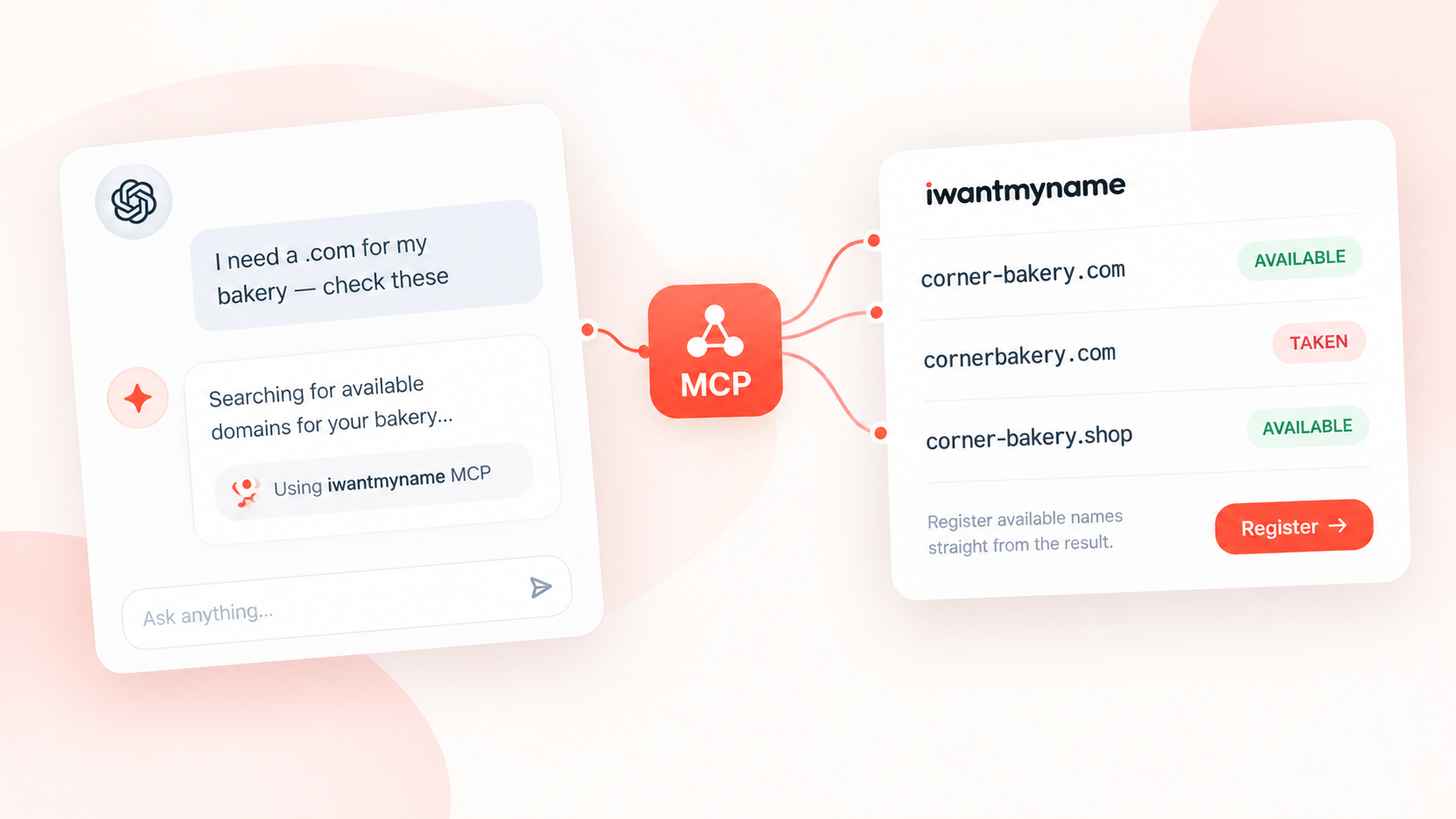
Check domain availability directly from iwantmyname while you work with Claude, ChatGPT, or another MCP-compatible AI assistant. Search one domain or compare up to 20 names at once, get a clear answer for each one, and follow a direct link to iwantmyname when you find a domain that is available.
Free, read-only, nothing to install, and built by Team Internet for iwantmyname.
Find a domain without leaving your workflow
Coming up with a domain name usually means bouncing between your AI assistant and a separate domain search, copying names back and forth while you compare different ideas. With the iwantmyname MCP server, you can check those names directly from the conversation you are already having.
Just ask your AI assistant:
Is corner-bakery.com available?
Check myapp.io, myapp.dev and myapp.app.
I need a .com for my bakery. Check corner-bakery.com and cornerbakery.com.
The server checks each domain through iwantmyname's own search and returns the result directly in your conversation. When a domain is available, the result also includes a direct link to iwantmyname so you can continue straight to registration.
You can check up to 20 domains in one request, making it easier to compare different names, explore alternatives, and narrow down the right domain without interrupting your workflow.
How it works
-
1
Ask
Tell Claude, ChatGPT, or another compatible AI assistant which domains you want to check, using normal language rather than a special search format.
-
2
Check
The server sends the domain names to iwantmyname's own domain search and returns a result for each one.
-
3
Register
When a domain is available, follow the registration link and complete the purchase yourself on iwantmyname.com.
Search domains in plain language
There is no special syntax to learn and no separate search interface to manage. You can ask about a single domain, compare several alternatives, or check a list of names as part of a wider conversation about your next project or business.
Domain names in different scripts are supported as well. For example, café.de is checked as xn--caf-dma.de, and both forms are shown in the result.
Clear answers, without guessing
Every domain gets one of three results, so you can see exactly what the search found.
The domain can currently be registered through iwantmyname, and the result includes a direct registration link.
The domain is already registered.
The search could not provide a definitive result. This can happen when iwantmyname does not offer the extension or when the search is temporarily unavailable. A "No answer" result is never treated as available or taken, so the server does not make a guess when it does not have a reliable answer.
Domain availability can change quickly, so always check again immediately before registering a domain.
Search with iwantmyname, not a generic lookup
The result comes from iwantmyname's own domain search rather than a public WHOIS or RDAP mirror, so the useful question is not simply whether a domain appears in a public record, but whether iwantmyname can actually register it for you.
This also means the result can reflect whether iwantmyname supports the extension you are searching for. When that is not the case, the server tells you that it has no answer instead of presenting an unrelated public lookup as a registration result.
Read-only by design
The iwantmyname MCP server only checks domain availability. It cannot register, transfer, renew, or cancel a domain, and it cannot access your iwantmyname account or make changes on your behalf.
There are no account credentials or API keys to configure, and the server cannot place orders or spend money. When you find a name you want, you follow the registration link and complete the purchase yourself on iwantmyname.com.
- Read-only
- No account access
- No API key
- No orders
Your search stays focused on the domains you check
Only the domain names you ask about are sent to iwantmyname's domain search. The server does not send your iwantmyname account details, conversation, prompt text, or cookies as part of the lookup.
Search results are held briefly in memory to avoid unnecessary repeat requests, with available results kept for up to one minute and taken results for up to five minutes. Nothing is written to storage, and no conversation or account data is kept.
Our privacy policy covers the domain search, which is the same search used by the iwantmyname website.
Works with Claude, ChatGPT and other AI assistants
The server is hosted by iwantmyname, so there is nothing to download or run. Any assistant that supports remote MCP connectors connects to the same address:
https://mcp.iwantmyname.com/mcp| Assistant | How it connects |
|---|---|
| Claude (web and desktop) | Custom connector |
| ChatGPT | Connector in developer mode |
| Claude Code | One command, plus an optional /iwantmyname:check command |
| Codex and other MCP clients | The address above, over Streamable HTTP |
How to connect
Nothing to install and no account or API key to set up. Add the address in your assistant and ask about a domain.
Claude (claude.ai and Claude Desktop)
Open Settings → Connectors, choose Add custom connector, and enter:
https://mcp.iwantmyname.com/mcpCustom connectors are available on Claude plans that support them. Once connected, ask Claude something like "Is corner-bakery.com available?".
ChatGPT
Turn on developer mode under Settings → Apps & Connectors → Advanced, then create a connector with the same address. When iwantmyname is listed in the ChatGPT app directory you will be able to add it from there instead.
Claude Code
claude mcp add --transport http iwantmyname https://mcp.iwantmyname.com/mcpCodex
codex mcp add iwantmyname --url https://mcp.iwantmyname.com/mcpAny other MCP client
Point it at https://mcp.iwantmyname.com/mcp using the Streamable HTTP transport. No headers, arguments or credentials are needed.
The official iwantmyname MCP server
This is the official iwantmyname MCP server, hosted by iwantmyname at mcp.iwantmyname.com.
iwantmyname is the registrar operated by ideegeo, which is part of Team Internet, and the server is published as part of the same organisation. Both this page and the server live on iwantmyname.com, so you can verify that the server comes directly from the people behind the service rather than an unofficial third-party implementation.
Need help?
If something does not look right or the server is not returning the expected result, open a support request.
If every domain returns "No answer", please report it to us rather than assuming the domains cannot be checked. That usually means the server is having trouble reaching the iwantmyname search service, and we want to know about it.